The report connects a finding to an affected page, the response observed and a definition of done. That gives the suggested change a clear condition to check on the next scan.
The public sample pairs a missing-alt-text finding with a fix prompt and acceptance tests. A separate before-and-after comparison shows header findings marked fixed. Both use demonstration data.
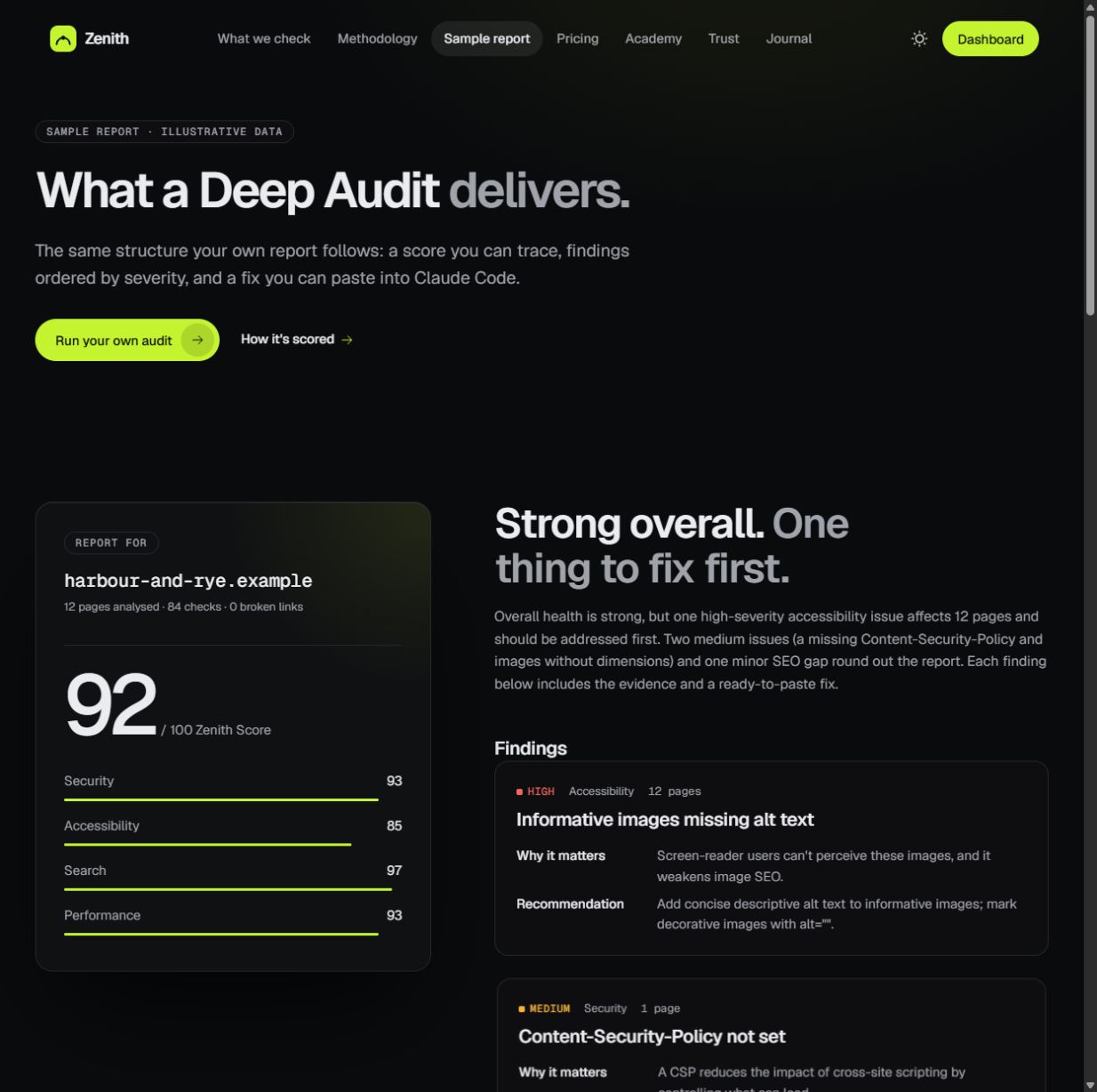
A sample score, category scores and findings, all marked as illustrative data.
HOW THE PIECES CONNECT
A report is easier to act on when its parts agree: the issue names the problem, the evidence locates it, and acceptance tests describe what to check. The sample makes those connections visible, so a score can lead to a specific next step.
The application and report processing have different jobs. React presents findings; Workers handle the application; D1 stores data, private R2 storage holds reports, and Queues carry background audit and monitoring work.
03 / Build decisions
01 /
Give a finding somewhere to go.
The sample connects a finding to affected pages, an explanation and a suggested change. Its fix prompt adds a goal and acceptance tests, giving the reader a condition to inspect after applying a change.
THE TRADE-OFF
More detail asks for more attention than a headline score, but it also explains which change is being proposed and why.
WHAT TO CHECK
The walkthrough follows the missing-alt-text finding into affected URLs, a fix prompt and acceptance tests. All figures are demonstration data.
02 /
Keep verification in the same journey.
The public comparison keeps the report format consistent between a starting view and a later view. Unresolved header findings in Week 0 become fixed labels in Week 2, so the state change can be inspected in context.
THE TRADE-OFF
The comparison explains the reporting workflow. Its illustrative numbers do not establish customer impact or an improvement on a real site.
WHAT TO CHECK
Compare the Week 0 and Week 2 screens. The later demonstration report marks three header findings fixed.
03 /
Give each part of the system a job.
The published architecture separates the React interface, Workers application handling, D1 data, private R2 reports and Queues for background audit and monitoring work. Checks against rendered pages are supported by Browser Rendering.
THE TRADE-OFF
Separating application handling, storage and background work makes the responsibilities explicit, but also means operating several services.
WHAT TO CHECK
Read the published architecture notes linked from the project. External checks inspect public pages; passive checks are not penetration tests.
[ 01 / THE QUESTION ]
What should change next?
The problem
A website can look fine while carrying configuration, accessibility or search issues. A score alone leaves the next decision unclear: what happened, where is the evidence, and what should change?
The approach
Zenith brings monitoring and audits together. The useful unit is a finding with a reason, a proposed change and a way to check the result.
[ 02 / FROM INTENT TO INTERACTION ]
A path through the product.
01
Monitor
Watch the public-facing site for availability and changes.
02
Investigate
Inspect security configuration, accessibility, SEO and performance.
03
Act
Use the evidence and suggested fix to make a deliberate change.
04
Verify
Re-scan and check the result against the original finding.
[ 03 / UNDER THE SURFACE ]
A connected system.
01 /
At the edge
Cloudflare Workers handle the application. D1 stores data, private R2 storage holds reports, and Queues carry background audit and monitoring work.
02 /
The product layer
React presents the findings. Browser Rendering supports checks against rendered pages; Better Auth, Stripe and Resend support sign-in, billing and email.
03 /
Useful boundaries
External checks inspect public pages. Automated accessibility checks are not a WCAG certificate, and passive security checks are not a penetration test.